Should I Get Office 365 For Mac Home Or Business
Collaborate for free with online versions of Microsoft Word, PowerPoint, Excel, and OneNote. Save documents, spreadsheets, and presentations online, in OneDrive. Share them with others and work together at the same time. As you have subscribed for Office 365 Home Premium you can install Office applications which Word, Excel, PowerPoint and Outlook on your Mac. In case you are already using Office 2011 Home and business there is no need to install Office 365.
There'h ended up a great deal of buzz about, and you might end up being contemplating it for yourself, your customers, or your company. Workplace 365 is definitely Microsoft'h cloud edition of Workplace. You'll link via the web, established up an account, make payment, down load the appropriate documents, and proceed to work. There are no set up discs.
If you determine that Office 365 might end up being the right action for your company, be sure to examine by Brien Posey. IT specialists will most likely understand all of the technical points in this content, but you might discover some new arguments both for and against moving to Workplace 365. What'beds the cloud? The cloud is certainly an business phrase for an off-site file hosting support. When operating with Workplace 365 files, you upload and synchronize files with Windows SkyDrive (Microsoft's fog up). If you need to gain access to data files from different places or devices that don't possess Workplace, this works to your benefit.
You can furthermore store data files locally; your documents belong to you. SEE: (Tech Pro Study) 2. The three faces of Workplace. Office 365 is a subscription-based plan that offers Office functionality in the cloud. It'h a cross (of sorts) between the desktop edition and the free internet apps. Excuse the marketing buzz, but Workplace 365 offers desktop efficiency with web-based comfort supporting multiple gadgets. That last part is usually what matters to users and customers.
What you'll require Office 365 requires Windows 7 or 8. Mac users require OS X 10.6 (or later on). You'll furthermore need Web access to install Workplace 365 and to trigger and manage your subscription (once a month). You'll require a compatible browser. IE 9, Firefox 12, Safari 5, or Chrome 18. Relating to hardware, at the quite minimum, your nearby system will need the following.
1 GHz processor chip or Intel processor (for Macs). 1 GB or Ram memory (32-bit); 2 GB RAM (64-little bit). 3 Gigabyte of accessible hard disk room; 2.5 GB for Apple computers.
When I say at the quite least, I imply that Office 365 will operate, but it will become sluggish (really slow. Really, really sluggish). Users with older systems might encounter significant update costs before they can shift to Workplace 365. The membership costs A small business with 25 or fewer users can purchase Office 365 Small Company. If you spend by the season, you'll spend $5, payable in an annual charge of $60 (per consumer). If you prefer to pay out as you proceed, you'll pay out $6 a consumer per month.
Office 365 For Mac
Small Company Premium consists of the desktop computer version of all the Workplace apps, for $150 a calendar year per consumer. If you have got even more than 25 users, choose for one of the Business variations from $8 to $24 per user (monthly). In a nutshell. Little Business accommodates upward to 25 users. Midsize Business accommodates upward to 300 users. Enterprise for over 300 users. Home Superior is available for $9.99 a 30 days ($99.99 a season).
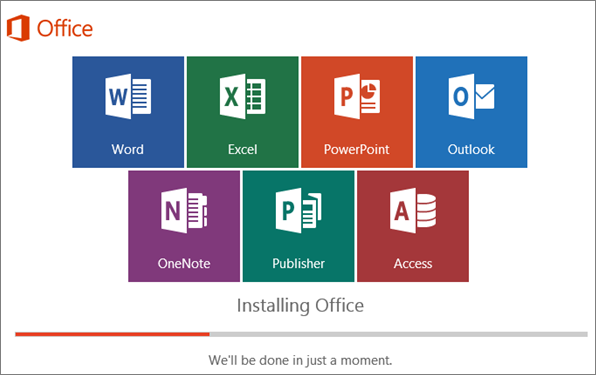
You can function with five computers or Macs, and five mobile devices. Google android gadgets and iPhones will need Office Portable. Windows Mobile phone comes with Office Portable and it doesn't count toward the five-device restriction. What you'Il get The ápps you get depend on your membership choice. Most PC plans include Term, Excel, PowerPoint, Perspective, Gain access to, OneNote, and also Author.
The Mac pc business versions don't include OneNote, Author, or Access. Compatible platforms Workplace 365 files are suitable with Workplace 2010 and 2013. Office 2007 furthermore functions, but you'll drop some features. You can use Office Web Apps with these files.
Office 2003 customers have limited gain access to with an appropriate compatibility pack, but that will end in Jan 2014. Office 2013 users considering Office 365 so they can reveal documents with others whó don't possess Office perform not require Office 365. They can conserve Workplace 2013 files to SkyDrive and invite others who don't have Office to see them. Invitees put on't require a SkyDrive accounts or Workplace to see data files on SkyDrivé (but they wiIl need an request). Benefits Workplace 365 subscriptions provide more than software program.
Subscriptions come with 27 GB of storage space on SkyDrive, free web site hosting with applicable equipment, and 60 Skype minutes per month for landline calls. Who needs it? I can listen to the wheels turning.
If Web Apps is usually free of charge, why buy anything at all? (Fine try!) Internet Apps will be seriously limited.
It'h great for seeing. It furthermore offers basic editing and enhancing and formatting functions, but not really very much else. lt isn't á alternative for the desktop computer version or Workplace 365. Simply remember that Workplace 2010 or 2013 customers don't want Workplace 365 to work in the cloud.
However, if you wish the comfort of operating with your documents on several devices that don't have got Office, Workplace 365 is a great addition for you. In the beginning, home customers might balk at paying out $100 a year for Office, but Office 365 House Premium supports five desktop computers and five mobile devices. You can't probably purchase that many licenses for less. Workplace 365 can save multiple-unit family members money. Free of charge alternatives Search engines Docs can be by considerably Workplace 365's closest rival. It'h dependable and protected. The free of charge (private) version is usually a functional tool that you can use with your business software program.
However, it isn't a free of charge alternative for business software program. Office 365 security Most institutions contemplating the cloud be concerned about safety. Office 365 offers the same user-level security options and Have confidence in Center as the desktop version. Rights management Services (RMS) supports encryption and lets you set permissions. Users will have got a sensible quantity of safety at their degree. Offsite, data files are preserved in specific data facilities where safety is certainly a principal worry. In a nutshell, little to medium companies will have better protection using Workplace 365 than they can (most likely) afford on their personal.
Here are usually simply a several information you should understand about Microsoft's i9000 cloud safety. Workplace 365 applications make use of encryption; transmissions intércepted by anyone withóut documentation can'capital t be examine. Microsoft Workplace 365 is certainly qualified as compliant by approved industry (ISO) standards. (It doesn't fully satisfy the PCI-DSS standard.). Settings are usually in location to comply with HIPPA ánd FERPA. Kirk Koénigsbauer, Corporate Vice Chief executive at Microsoft got this to say about Workplace 365 protection worries. '.Workplace 365 facilitates the almost all rigorous worldwide and local standards like as ISO 27001, SAS70 Type II, EU Safe Harbor, EU Design Clauses, the US Health Insurance plan Portability and Liability Act (HIPAA), the People Family Educational Rights and Privacy Act (FERPA), and the Us all Federal Info Security Administration Act (FISMA).
To fulfill evolving needs, we also program to support IPv6 in Workplace 365 for Federal government by Sept of this season, and we're acquiring ways to quickly support Lawbreaker Justice Information Security (CJIS) insurance policies.' You can understand more about Office 365 protection by reading. Can I make use of Office 365 offline? Workplace 365 runs offline. You must connect to the internet every 30 days to keep your membership.
Workplace 365 will allow you understand when it't period to link. The pros and cons Right now, the Office 365 marketplace is small but increasing. There are usually three powerful factors to buy a subscription.
Email signatures are a way to personalize or brand your email. Outlook 2016 gives you a way to create personalized signatures for your email messages that include text, images, your electronic business card, a logo, or an image of your handwritten signature. However for users on Mac OS, and using Outlook 2016 if they attempt to reply to an email that has these new https sourced images it will actually cause Outlook to freeze while it loads each individual image. Email signature outlook for mac 2016 do not attach images. Adding a signature in the desktop version of Outlook hasn’t changed much over the past few versions. But, if you’re new to Outlook 2016, here’s how it’s done. The way I do it is to copy and paste my html code (including images and links) to the Signature textarea and from within that textarea, I highlight the text I want to change say the font size then I use CMD and + (plus sign) to increase and CMD and - (minus) to reduce font size.
If you function from even more than one area. If you use different devices to access Office documents. If your company supports numerous users and you program to keep them present on variations.
Mac customers have journeyed down a long bumpy route when it comes to Workplace 365, but points are starting to look up Photograph: Steinar Engeland The partnership between Microsoft applications and providers on macOS (previously OS X) over the years can be explained as shaky at best. It epitomizes the up and straight down connection between the two companies. But lately things appear to be changing for the better.
When Satya Nadella required over as Microsoft Top dog three decades back, he introduced with him a renewed desire to find Microsoft flourish on all systems and contexts. Under his view, Microsoft offers renewed its dedication to macOS. Therefore how offers Microsoft evolved the use of Office 365 on macOS?
Workplace 365 will be a huge umbrella, but for the reasons of this post will focus on: desktop applications, email, VOIP/IM ánd web-based collaboration. Office on Mac pc: Switching Around a Sad Story When we think of Microsoft, it's hard to prevent Microsoft Workplace. Office provides long happen to be the regular bearer in efficiency applications. Apple attempted to get into the area with its iLife collection, but under no circumstances handled to displace Office. Unfortunately, Workplace on the Macintosh has happen to be a depressing tale for a long period. Microsoft launched Workplace 2010, 2013 and 2016, but just launched one version of Workplace for Macintosh. Workplace 2011 had been its bad attempt to provide the cooperation paradigms of Workplace, such as the Bows and SharePoint integration, to Macintosh customers.
It utilized previous APIs and connection versions that remaining Mac users limping for a long time. Fortunately, the release of Workplace 2016 for Mac has changed this.
A comparison between Phrase on Home windows (top) and Macintosh (base) This edition operates under the exact same banner of Workplace 365 with its constant flow of updates and innovation. The up to date versions of Term, PowerPoint, Excel and OneNote dramatically enhanced on their predecessors (more on Perspective afterwards). The Microsoft team successfully designed a collection of programs that feel native to Office UI paradigms simply because nicely as a great Mac software. Despite some function parity issues between Workplace on Windows and macOS, Office for Macintosh shines today. E-mail: From E-mail 'Lighting' to Greater Functionality As much as we may desire to shift aside from e-mail, it can be thoroughly entrenched in óur workflows.
Microsoft continues to sparkle in this region with Microsoft Exchange and its implementation under the bigger coverage of Workplace 365. As soon as upon a time, Mac customers were pushed to use “light source” edition of Outlook for the web, but those times are gone.
Rather they right now possess a fast and contemporary email user interface. In inclusion to email, Exchange furthermore excels in work schedule and contact management. Swap first emerged to the Macintosh through Microsoft Entourage, the early edition of Outlook for Mac. It has been, to place it slightly, a burning up dumpster fire of an software and provides the suspicious popularity of getting maybe the worst Mac email client actually created. Perspective in Workplace 2016 marks a great enhancement. It feels much more stable than Entourage, but it suffers from greater feature mismatch between Windows and the Mac. View on Windows offers great features.
The exact same can'capital t be said for on a Mac pc. The information many problems including not using indigenous macOS notifications and absence of support for additional email and calendaring providers. Hopefully it will capture up to its Home windows equal in period.
For those who do not want to use Outlook various other options remain. MacOS natively supports Swap in its stock calendar, email, connections and simple guidelines applications, and many third-party options are furthermore available including one I use:. VOIP and IM Improvement, But Still Space for More For a long time Mac pc users had been subjected to Lync for Macintosh 2011, which has been however another poor quality software. With the current release of the new Skype for Business Mac software, the Microsoft voice over IP and instant messaging tale has received a dramatic spin and rethinking. Call high quality and the IM expertise have got both enhanced significantly. The new Mac pc Skype for Company app Like Outlook for Mac pc, Skype for Business on Mac still lags the Windows version.
Hopefully growth for this software goes as rapidly as it will for the sleep of the Workplace line. Actually basic issues such as allowing “Do Not really Disturb” on macOS when offering, application display spreading and file sharing are usually not yet available. Keeps a operating tabs of what will be being worked well on for future development cycles. Web-Based Cooperation “Web-based collaboration” pertains primarily to SharePoint and other Office 365 websites such as Delve.
SharePoint offers acquired a long checkered past helping browsers various other than Internet Explorer. But every version since SharePoint 2010 provides improved that story, and with the latest adjustments to the SharePoint checklist, library and publishing encounters it provides largely stopped to become an issue. Previous versions of SharePoint restricted Mac user efficiency with dependencies such as ActiveX for datasheet views - among additional functions - but Microsoft offers taken out those dependencies over time. As an impIementer and as á user, I no longer have any hesitations about using any modern web browser with SharePoint in Workplace 365.
Microsoft released a on Jan. The fresh release not only greatly boosts the stock OneDrive sync expertise, but allows for syncing SharePoint content material to the Mac pc. I experienced no issues making use of the beta version for the last few months. The SharePoint integration is also much improved in the Workplace desktop applications over Office 2011.
Office 365
Overall, the OneDrive sync customer is a great inclusion to macOS. The fresh OneDrive ápp in macOS Findér The Holdouts SeveraI Office 365 applications remain Windows-only, including SharePoint Designer and the PowerBI desktop application. If you need to operate these applications, you possess options. MacOS includes which provides native support to boot into Windows on your Macintosh, and virtualization choices like as and are also available. The virtualization choice has permitted me to use those programs when I required them.
A Happy Finishing Microsoft should be applauded for its function to provide macOS customers (and those on some other platforms) gain access to to Workplace 365. The future looks extremely brilliant when individuals can use whatever gadget or working system they choose to run Workplace 365 program. The macOS story has become one of extreme improvement, and all óf us can work with that type of improvement.
About the Writer Chris Poteet, Office 365 Advisor at 's Digital Solutions and Solutions practice, is certainly a decade-long consumer experience practitioner with experience across numerous different types of companies and tasks. He specializes in web content administration and devising multi-platform options.
With Workplace 365 subscription programs you can create your best work with the superior versions of the Workplace applications across all your devices: Word, Excel, PowerPoint, OneNote, Perspective, Publisher, and Accessibility (Author and Access are accessible on Computer just). You can set up Office 365 across several devices, including PCs, Apple computers, Google android™ pills, Android mobile phones, iPad®, and iPhone®. In addition, with Office 365 you get providers like on the internet storage with OneDrive, Skype minutes for home use, and advanced Perspective.com protection. When you possess an energetic Office 365 membership, you always have got the most up-to-date version of the Office applications. Office 2019 is certainly a one-time buy with the classic versions of the Workplace applications like as Term, Excel, and PowerPoint for use on a individual Personal computer or Mac.
The applications are not really automatically updated; to get the latest edition, you must purchase Office again when the brand-new version becomes available. Present Office software versions obtainable for one-time purchase are usually Office 2019 for Home windows and Workplace 2019 for Mac pc. Previous variations include Office 2016, Workplace 2013, Office 2011 for Macintosh, Office 2010, Office 2007, Office 2008 for Macintosh, and Office 2004 for Macintosh. Workplace as a one time purchase will not include any of the services included in Office 365. Find out even more about the distinction between Office 365 and Office 2019. Web access is needed to set up and activate all the latest releases of Office fits and all Workplace 365 membership programs. For Workplace 365 plans, Internet gain access to is furthermore needed to manage your subscription accounts, for instance to set up Office on additional PCs or to modify billing options.
Internet access is also needed to gain access to documents saved on OneDrive, unless you set up the. You should furthermore link to the Internet regularly to keep your version of Workplace up to date and advantage from automatic updates. If you perform not link to the Web at least every 31 times, your applications will proceed into decreased functionality mode, which indicates that you can watch or print your records, but cannot modify the papers or generate new ones. To reactivate your Office applications, basically reconnect to the Internet. Your Microsoft account is usually the combination of an email tackle and security password that you make use of to sign in to services like Hotmail, OneDrive, Windows Cell phone, Xbox LIVE, and View.com. If you make use of any of these solutions, you already possess a Microsoft accounts that you can make use of, or you can develop a brand-new accounts.
As component of signing up for a trial or buying Workplace, you will end up being prompted to sign in with a Microsoft accounts. You must become authorized in with this account to set up and handle your Workplace software program, or to use some membership benefits, like OneDrive storage and Skype minutes.
The quantity of additional storage that you get is dependent on your subscription:. Customers with an active Office 365 Individual or Office 365 College subscription get an additional 1 TB of OneDrive storage per membership. Customers with an active Office 365 Home subscription receive an extra 1 TB of OneDrive storage space per consumer, for up to 6 customers. Each additional user must have their very own Microsoft account and be added to the.
The additional storage will be used to the OneDrive account that will be connected to the Microsoft accounts utilized to create the Office 365 subscription. For Workplace 365 House, the storage space is linked to the Microsoft balances of the household people who possess been added to the membership. Landlines only: Andorra, Argentina, Quarterly report, Austria, Belgium, Brazilian, Brunei, Bulgaria, ChiIe, Croatia, Colombia (excI. Lex), Costa Ricá, Czech Republic, Dénmark, Estonia, Finland, France, Germany, Portugal, Guadeloupe, Hungary, Iceland, Philippines (Jakarta), Ireland, Israel, Italia, Korea, Latvia, Lithuánia, Luxembourg, Malaysia, Malta, South america, Morocco, Netherlands, New Zealand, Norwegian, Panama, Paraguay, Peru, Belgium, Spain, Romania, Russia, Slovakia, Slovenia, Southerly Africa, France, Sweden, Switzerland, Taiwan, Chicken, United Kingdom, and Venezuela. Will be a four-year subscription for full- and part-time enrolled university and university students, faculty, and staff in certified institutions. Alumni of these institutions are usually ineligible. After buying Office 365 School at a participating merchant, you need to move online to confirm your eligibility in order to activate Workplace.
You are also subject to the and will be needed to acknowledge the agreement before activating the product. Internet gain access to is required as the academic verification and payoff process takes place online. Note that you may become eligible for free of charge Workplace through your college, school or college. Examine your eligibility at before purchasing Workplace 365 School.