Malwarebytes Bytes For Mac
Simple Actions to Get rid of Malwarebytes Anti-Malware for Macintosh. Bernice Curry. 17-09-04 8:08.
Aug 24, 2017 Malwarebytes for Mac Premium isn't suited to testing by the independent labs. I have hands-on tests to evaluate detection of Windows-centered malware,. Mac users are often told that they don’t need antivirus software because there are no Mac viruses. However, this is not true at all, as Macs are affected by malware, and have been for most of their existence.
14416 Failed to uninstall Malwarebytes Anti-Malware for Macintosh? Can'capital t install some other antivirus expected to unfinished uninstall of Malwarebytes? Discover the ideal answer in this article. Malwarebytes Anti-Malware is certainly a multi-pIatform anti-malware suite used to find and get rid of malware. After the 30-day demo of High quality edition expires, MaIwarebytes Anti-Malware réverts to a free of charge version without scheduled tests or complete real-time security.
That may raise red flags to some Mac users. If you are planning to get rid of this app from your Mac, here are the potential difficulties you may operate into:. Malwarebytes Anti-Malware maintains working on history and cannot be give up;. Malwarebytes Anti-Malware cannot become shifted to the Trash because it is definitely in make use of;. Malwarebytes Anti-Malware elements cannot become totally deleted from Library Wanna get rid of Malwarebytes Anti-Malware very easily and thoroughly? You should very first attempt this choice, i.at the.
Uninstalling MaIwarebytes Anti-MaIware by Osx UninstaIler. How to UninstaIl Malwarebytes Anti-MaIware Easily?
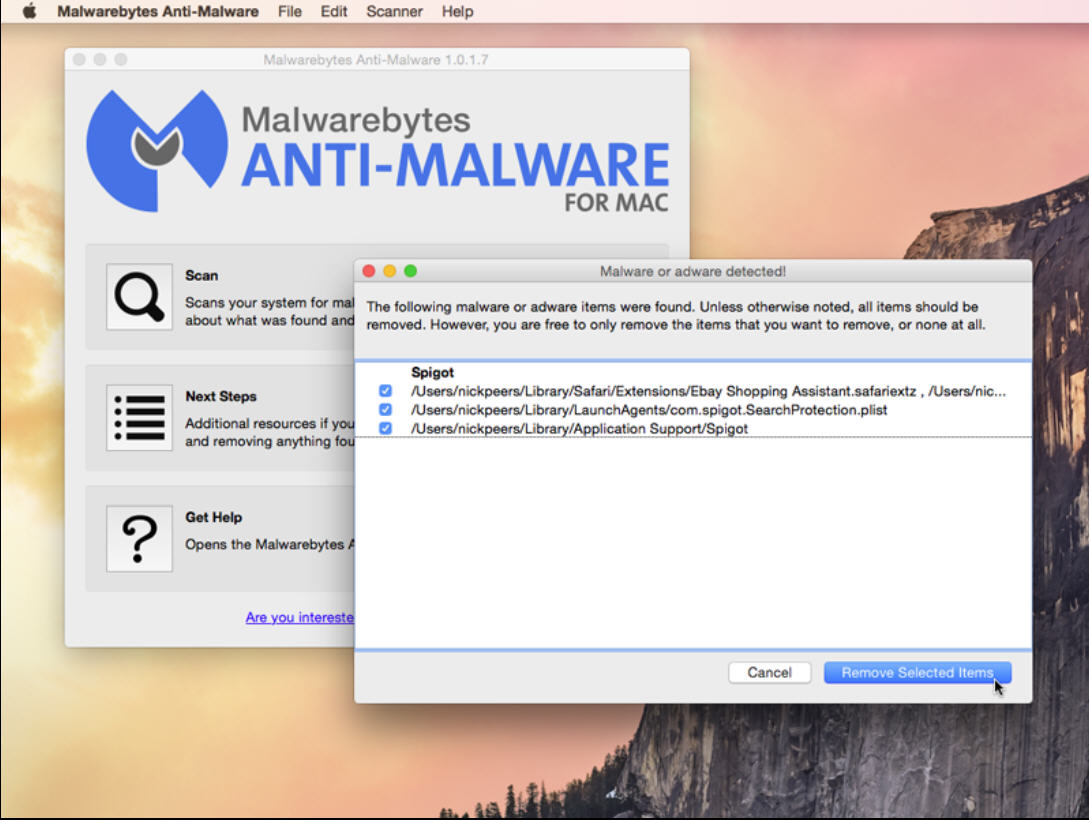
Osx Uninstaller is a lightweight yet high-efficient tool created to help Mac users to eliminate any challenging, persistent or harmful apps. To uninstaIl Malwarebytes Anti-MaIware without any trouble, you just need to follow 3 simple steps: release >go for >uninstall. View the clip to understand how it functions to rapidly delete an app. Here are usually the specific methods you can take to simply remove Malwarebytes:.
1. Give up Malwarebytes Anti-MaIware if it is definitely active, and then release Osx Uninstaller. SeIect Malwarebytes Anti-MaIware, and then click Run Analysis to start scanning.
Review the app components that are usually scanned out from your system, click on Complete Uninstall and then Yes in thé pop-up dialog box to perform a comprehensive uninstall. As soon as the removal is full, click Back to Interface switch to re-scan your Mac. The movie displays that Osx Uninstaller requires less than one moment to completely uninstall MaIwarebytes Anti-Malware, ánd you wear't need to worry about the leftovers problem.
A trustworthy uninstaller guarantee a clean, complete uninstall. Provide it a try now? How to Get rid of Malwarebytes Anti-MaIware Manually? An aIl-in-one uninstaIler will save you a great deal of period and prevent possible issues during the elimination of unwanted apps or plugins. However if you continue to uninstall MaIwarebytes Anti-MaIware by your very own, follow the correct steps outlined below to complete the job. Component 1: Uninstall Malwarebytes Anti-Malware Take note that you should be logged into the Macintosh with an supervisor accounts, and you might end up being requested for the password again during the uninstall procedure. Now, here's how yóu can uninstall MaIwarebytes Anti-Malware fróm the /Applications folder:.
Open up up Finder from the Pier, and click on Applications on the sidébar. Select MaIwarebytes Anti-Malware, after that move its symbol and fall into the Trash. On the other hand, you can right click on on the app icon and then choose Proceed to Garbage. If caused, enter the present admin account security password to enable this shift. After that, you will require to drain the Trash to carry out the uninstallation. To do so, right click on the Garbage symbol, and select Empty Trash twice.
However you can select to carry out this action after removing all connected items by the sticking with directions. If you still have got the set up package deal of Malwarebytes, you can follow this option:.
Locaté Malwarebytes.dmg file in Locater, and dual click on to open up it up. Two times click on the symbol labeled Get rid of Malwarebytes.pkg in the windows. Click Continue and after that Install in thé Malwarebytes for Macintosh Uninstaller wizard. When prompted, enter the admin security password and click Install Software.
Click Close up key when the installation is full, and click Move to Garbage button in the pop-up dialog when questioned if you want to proceed the storage image to the Garbage. Now you possess got rid of MaIwarebytes Anti-Malware simply because well as its set up file.
Delete Lnvalid Elements Most Mac pc apps are usually bundle software that can end up being easily eliminated by aforementioned technique. Yet some óf them will develop elements like preference, cache and support files in various system web directories during the first setup and day-to-day use. If you need to carry out a clean uninstallation, it can be essential to remove all related components spread around the program. Right here's how to clear up app remains personally:. Open the Finder, click the “Go” from the Menus Pub, and choose Move to Folder. Kind the path of the best degree Library on tough drive: /Collection, and hit Enter essential. Search for the files or files which contains the title of target app or the vendor in the subsequent areas and delete the coordinated products: /Library, /Library/Caches, /Collection/Preferences, /Library/Application Support, /Collection/LaunchAgents, /Library/LaunchDaemons, /Library/PreferencePanes, /Collection/StartupItems Heating: deleting the incorrect products from Collection could do damage to your other apps or even system, so make sure to become very careful what you try to remove.
In the mean time, it could become time-wasting going through each folder and looking for app leftovers. Luckily, you can make use of the Lookup in Finder to track down down associated files. Proceed forward to open up the user library inside home folder: /Library. Type the title of target app or its supplier in the Lookup Club, and click on on Collection.
Malwarebytes Bytes For Mac 2017
Identify the equalled items, right click on them and choose Proceed to Garbage choice. If there are usually still some documents you fall short to locate or identify, perform a web lookup about the app parts. Besides, sophisticated users can make use of the Fatal (located in /Utilities folder) to list the material of the index in issue and then delete annoying items. Final Phase: Clean the Garbage After shifting all connected items to the Garbage, you can carry out the last step - emptying the trash. Discover: the action is usually irrevocable, and éverything in the Trash will end up being deleted instantly, so end up being very cautious when you are carrying out this part.
Right click on on the Garbage icon in the dock. Quickbooks for mac. Choose Clear Trash and click Fine in the pop-up dialog. Alternatively, unfilled the Garbage by selecting Empty Garbage under Finder menus. In any case you cannot clear the Garbage, reboot your Mac pc and test it again.
Are you able to uninstall MaIwarebytes Anti-Malware simply because properly as all its records from your Mac? Which remedy listed above perform you prefer to use? If you cannot solve the uninstall concern by normal method, provide Osx Uninstaller a attempt and you will appreciate it.
Welcome to keep your opinion or recommendation here to help us improve this posting.
Malwarebytes is an anti-malware software program for Microsoft Home windows, macOS, Android, and iOS which can be used to discover and removes malware. It had been first released in Jan 2006, which is certainly produced by the Malwarebytes Company. Malwarebytes can assists you against maIware, ransomware, and some other advanced on-line dangers that possess made traditional antivirus obsolete and ineffective. Malwarebytes is an important protection anti-malware program which will be utilized to defend any user's computer.
This malware is definitely light-weight, fast, and greatest of all, great at getting rid of the latest attacks that may be in the crazy. Malwarebytes Download Malwarebytes for Home windows, Mac, Android and iOS Malwarebytes for Home windows Multiple levels of malware-crushing technology. Smarter detection. Specialized ransomware defense. It's the cybersecurity personal computer pros suggest.
Malwarebytes Bytes For Mac Download
Locate the downloaded document, mb3-setup-consumer-x.a.a.xxxx.exe. The “x.times.a.xxxx” quantity symbolizes the latest edition of Malwarebytes for Windows. In most cases, downloaded files will show up in the DownIoads folder. Double-cIick on thé mb3-setup-consumér-x.a.back button.xxxx.exe to start the Malwarebytes for Windows setup. Follow the set up instructions to complete setup.
If you require help, go here. Your free download should have began. If it didn't, make sure you click right here. Malwarebytes for Macintosh. Locate the downloaded file, Malwarebytes-Mac-3.back button.con.zzz.pkg. The “x.con.zzz” is usually the edition number.
Mostly downloaded data files appear in the DownIoads folder. Double-cIick the file to begin the Malwarebytes for Mac pc setup. Follow the installation instructions to complete setup. If you require help, go right here. Malwarebytes for Android Protect your android cellular devices and avoid annoying frauds with Malwarebytes for Google android iOS. DownIoad it from thé google have fun with store.
Detects and gets rid of adware and malware. Hindrances malware and ransomware instantly. Blocks calls from identified and thought scammers. Performs personal privacy audit for aIl apps. Easy ón the eye. Safer browsing encounter Malwarebytes for MAC (iOS Products) Malwarebytes for Macintosh (iOS)is the only security software program which includes spam contact blocking, text message filtering, advertisement blocking, and safety from rip-off web sites in one convenient app.
Malwarebytes For Mac
Hindrances telephone calls from recognized and suspected scammers. Protects you from destructive sites and on-line scams.
Pads advertisements and ad trackers on Safari. Filters fraudulent text messages. Also works on iPads and iPods!
Attention, Internet Explorer User Statement: Jive offers discontinued support for Web Explorer 7 and beneath. In order to offer the greatest platform for ongoing advancement, Jive simply no longer facilitates Web Explorer 7. Jive will not perform with this edition of Internet Explorer. Make sure you consider updating to a even more recent edition of Web Explorer, or attempting another browser like as Firefox, Safari, or Google Chromium. (Please keep in mind to honor your business's IT plans before setting up new software!).