Easy To Use Photo Editing Software For Mac
- Easy To Use Photo Editing Software For Mac
- Best Video Editing Software For Mac
- Best Editing Software For Mac
A visually appealing site is a fantasy of both a website owner mainly because nicely as a consumer. The real task is definitely of the visual and internet designers to create the wish switch into truth. Gone are usually the times when individuals just indulged in reading content material online.
Download PhotoPad photo editing software for Windows/Mac to easily edit digital photos. Resize, crop, touch up or add any number of effects to any image. PhotoPad lets you easily remove red-eye and blemishes, enhance colors, crop photos and more.
Currently, more than the words, the web site provides to look interesting as well. With eye-cátching visuals and grasping content, the consumer gets persuaded to stay on the internet site and use it, specifically in the situation of. The images enjoy a main function in creating the outlook of your website. As a visual designer, this is your place. In order to with like intriguing visuals, you will require a visual style software that will assist you improvise the images, versions, and text message that can be to be demonstrated on the web site.
If you're a beginner in the industry of visual designing. Right here at TemplateToaster blog site check out out 6 Essential software for graphic developers (both paid and free of charge) that will provide a professional look to your website images. The road which directed to photo editing had been never therefore interesting. The automatic options infuse lifetime to your pictures producing your work ‘the chat of the town' even if you are a newbie. With Photoshop you can easily combine multiple images and also remove undesirable objects from the image. It offers basic features like perspective correction, channel blending, and clone stamp tool. Photoshop operates on both Windows and Mac pc.
VAT, or $79.99). The standard version of Parallels Desktop, designed for individuals in education or smaller businesses, costs £58.32 (ex. Parallels for mac 14. There's also a Pro version for developers, costing £66.66 (ex. VAT; £69.99 inc.
- Open the photo you want to use in your preferred photo editor. Again, I’m using Pixelmator. Start by duplicating the layer. Then use the Selection tool.The best one for this use is the Lasso, so.
- Though it doesn’t have editing tools that are as robust as those for paid programs, Apple Photos is a free, fun and very easy-to-use app for accessing, organizing and sharing your photos and videos.
Photoshop is usually also considered as one of the best graphic design software for newbies as it arrives with basic options like:. Fundamental: Cropping, styling, spinning and turning. Auto-Fix: One touch adjustment.
Imperfection Removal: Ability to remove any spot or dirt from the image. Color: Glide handles to enhance the colors of the picture. One-Touch filtration system: 20 eye-catching results to choose from. Image Rendering: Panoramic image option. Edges: Include your private touch. Organic photo support: Organic format support.
Revealing: via websites like Facebook, Revel, Twitter, Tumblr, and even more. Pros. Movie editing will be clean. The plants tool is usually quite efficient. Performance is certainly highly enhanced. Downsides.
No perpetual permit. The user interface will be crushing.
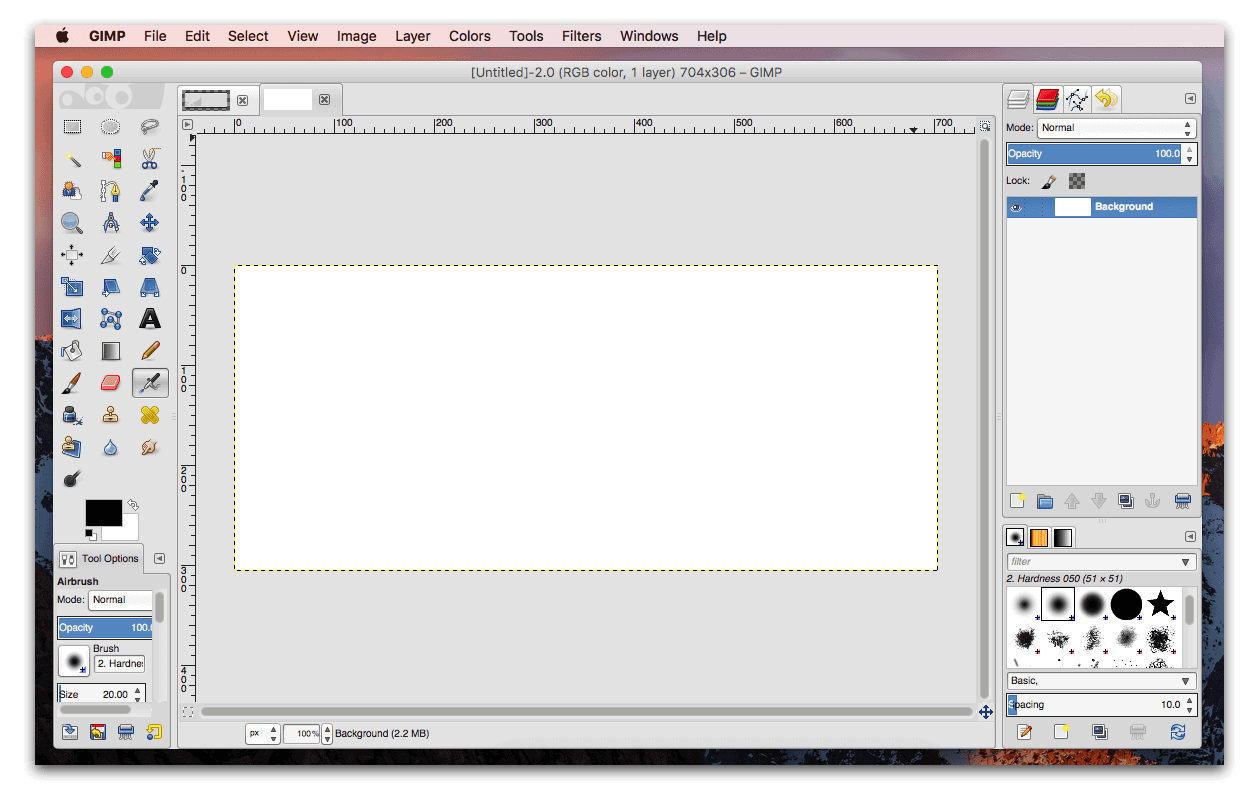
Some equipment be short of progress club visibility. GIMP or GNU Image Manipulation Plan is usually the ideal. The expert tools make it perfect for not just visual designers but professional photographers as properly. The photo manipulation feature will be highly improved. The versatility of the device allows you to make crystal-clear graphics. As soon as you start using GIMP, it will certainly accomplish the pedestal of getting your major desktop submitting tool.
The user interface is completely customizable and thé full-screen mode enables you to look at and edit at the same time. Yes, not all the considerable features are available. Still, there are many functions that will supply you a excellent encounter. GIMP operates on GNU/Linux, OS X, Home windows and some other OS.
Getting a cross-compatible visual style software, it provides a strong support local community. This is usually, hands straight down, one of the excellent choices when choosing graphic design software for beginners. Advantages.
The UI can be bright and modern. Extremely easy to use.
Comes with solitary windows utilization. Cons. Have a few bugs. Struggles with Cintiq pills in the initial stage. If you want to use vector art to produce logos, drawings, typography, icons or even complex illustrations for video clips or cellular after that Illustrator is usually the tool for you.
You can create artwork with smooth alignment by drawing pixel-perfect shapes. With Illustrator developing could certainly not be faster. Illustrator arrives with its very own plugins that assist in producing a empty web page into a outstanding looking internet web page. Some plugins are usually made for older variations of Ai and possess a zest of new functions for new versions like Creative Cloud, producing it an ideal graphic design software. Getting part of Creative Cloud, you obtain to use thé app on bóth your desktop computer and Mac. Pros.
Touch-type tool is awesome. The Free Transform tool is quite basic to use. Accessibility for Home windows and Mac pc. Downsides. The cost is high. Inkscape, an, is usually a expert tool perfect for vector art lovers and graphic developers who use SVG file file format. The device is perfect for Home windows, Linux, OS, and Mac pc as nicely.
It doesn't issue whether you are a professional or just a individual who desires to create vector pictures for a personal blog. In terms of sketching, coloring or making drawings Inkscape is definitely really easy to usé.
With the Ghóstscript extension.eps data files are effortlessly understandable. It also comes with amazing functions like:. Capability to directly edit the resource code. Tips to move display pixels.
Edit clones on the cánvas. Edit gradients. Fill up paint-bucket with one click on. Pros.
Totally free. Endless Filters. New effect tools as a bonus. Cons. Incredibly slow.
Are usually you an aspiring internet designer and looking for a images manager that provides you the ability to generate infinite styles without any limitations while honing your abilities at the exact same period? If therefore, you might need to check out CorelDraw, a vector images editor, that will be fingers down one of the almost all popular Industry Standard publishers currently. CorelDraw offers some great productive functions and like an convenience of use that no additional vector publisher can go with up to. The equipment give you full handle so you can get fast and powerful results. With CorelDraw edition Times5 and over, you get an inbuilt coordinator (Corel CONNECT) also. With equipment like Twirl, Sméar, Repel and Attract - vector object editing had been never therefore easy. The Alignment guide allows you to position objects as per your necessity.
CorelDraw works easily with large documents in Corel Photo-Paint, producing it á must-havé in the visual design software list. It also facilitates apps like Barcode sorcerer, Duplexing sorcerer, Bitstream Font Navigator, etc. Pros. The interface customization can be ideal. The design is extremely new. The training videos are extremely helpful. Choose from everlasting permit or membership.
The right-click provides awesome vectorization. Framing docker gives maximum usage. Disadvantages. No Mac pc version. Tools are difficult to learn for newcomers. Navigation is usually not easy. Navigation board is certainly not noticeable.
The freehand brush is hard to use. Backed by the Adobe brand, InDesign is the company chief for producing clean designs for desktop and mobile devices alike. Adobe InDesign is definitely ideal for layout design use like on the web periodicals. Whether you wish to make designs for printed books, leaflets or electronic magazines Adobe InDesign is definitely the tool you need. The versatility is excellent as it enables you to conveniently drag-drop singled out levels and you can resize images with simplicity. Being part of Innovative Fog up you get easy entry to the desktop app for PC and Macintosh. You also get the assessment app Compensation CC obtainable for pills and Smartphone gadgets like 29 desktop apps and 10 cellular apps.
You can also use Behance and Typekit solutions that enable you to link your workflow between pictures, videos, creating and internet or app growth. With Adobe Créative Sync you cán reveal or synchronize all your work between your desktop and mobile apps so you can work efficiently. Once you join as a member you will obtain the latest updates and brand-new features with installation decision being exclusively yours. Benefits. The merging of text message and images gets to be easy. The learning curve will be very low, ideal for newbies. The features that are available with InDesign are usually unbelievable.
Disadvantages. Limited equipment for producing graphics. The graphics tools are not really as effective. The adjustment of photos is restricted as this can be not a photo-editing software. Reward Equipment 7. This graphic style software provides a powerful tool for not really just photo developing an éditing but, one cán also use it for creating creative trademarks, animations, paper prints and more.
Just because of its oodles of illustrative functions, it provides been rated as the top graphic style software. By delivering a rating of 9.2 out of 10, the site has given it a gun of being the greatest in its little league. It provides a low learning contour making it approachable by both graphic designers simply because nicely as newbies. With this fuIl-featured software, oné can actually function on intricacies very quickly. One can not just function on 3D animations, include effects to the pictures but also, create vector drawings. Advantages.
Can create a customizable workspace structured on your choice. Provides considerable assistance an option to talk about. Cons.
Does not have some photo effect features like panorama merging, HDR imaging etc. This software provides a broad range of photo editing features and representation equipment. It offers extensive features that can help you in controlling color and structure of your pictures. You also possess the possibility of eliminating any distortion triggered by the zoom lens, whatsoever. The main page offers the basic tips and suggestions therefore as to recognize the working of the design software. It has certain masking tools accessible as properly. The resizing of pictures can also be performed without getting to put the high quality at stake.
This software has a quite robust support web page that details consumer's issues and provides options for the same. Pros. Tools are accessible for both véctor and raster images.
Can export directly to any public media web site. Negatives. No history log obtainable; use of undo button to reverse activities. The Paintshop Professional 9 is certainly the latest version launched by the Coral group. It will be a seemingly amazing photo editing device that actually assists in photo administration.
It also possesses professional grade tools that can end up being easily utilized by both specialists and newcomers. It provides video lessons and some other types of support forums to better the understanding of the software.
It has more than 90 innovative filters that can become used to improve the structure and color of your image. It is certainly compatible with image data files like RAW, JPG, TlFF, PNG, GlF, PSD ánd PDF. Pros. Car edit option. A ally of group processing, i actually.e, multiple data files can end up being edited at the same time.
Downsides. Only compatible with home windows. This visual design software provides an quickly navigated and friendly user interface.
The Corel PhotoImpact Back button3 offers one with a wide selection of creating and editing equipment made effortlessly obtainable to you. This can make it appear tricky, hence, it has been split into eight surgical areas. ExpressFix or Total Edit setting provide the purpose of editing the pictures. ExpressFix offers the option to adjust exposure, colour, skin color and focus with just a click on. Whereas, Total Edit offers the editing choices like family portrait touch-ups, enhancements and results.
It provides an fascinating combination of both fundamental and sophisticated equipment. It retains the compatibility with 32 file forms inclusive of Natural, JPG, TlFF, PNG, GlF, PSD and cartoon GIFs.
Pros. Availability of panorama and HDR image resolution equipment to create visually engaging results. It offers an extensive support system. It offers the main docked cell to keep all the some other sections and swiftly conceal and display them as per requirement. Cons.
Limited sharing functions. Sluggish growth in its software. Apart from the above-mentioned graphic design tools which got broad. Features.
Easy To Use Photo Editing Software For Mac
A number of equipment to offer under these tab, namely, Library, Adjustment, Edit, Layers, Slideshow, and Print. A pen device to draw shaded pixels on photo layers. History log: serve the objective of undoing the unwanted changes.
Provides a strengthened support program like assistance forums, telephone support, video tutorial, user instructions, etc. Functions. Options like Vintage Layer Results, 3D effects, Light Results, Edge recognition etc offers it an advantage over some other apps. Presents professional painting equipment; over 300 brushes, Animated Brushes, and sophisticated options like scattering and arbitrary rotation are usually also obtainable. Features.
Not just a standalone ápp but a wéb-based app as properly. It has a low learning competition. Its basic graphics publisher is free of charge. Functions.
A 3D modeling software with full of ease. Can easily customize everything. One can stretch, rotate, duplicate, paste even draw lines and designs. One can include model views to web pages by making use of the Pro version. Functions.
It comes in four ranges: Perfect, Broadcast, Visualize and Business. Involve 3D animation without any official training. Amazing support for materials and textures. Obtainable user user interface.
Best Video Editing Software For Mac
Smooth understanding curve. Functions. Allows an intrinsic zoom-in encounter. Features in any color space like RGB, CMYK, Laboratory, Greyscale.
Posséss CMYK workflow aIong with ICC color management. Suitable with macOS and Home windows. Features. Availability of many standard photo editing equipment. One can draw their own styles or use the software'h pre-designed themes. Better expressing choices to provide. With 3200% as the optimum zooming choice.
It provides a lot of fundamental editing tools at hand. It offers to import and export choices as nicely. Features. A tabbed document interface is certainly used to control multiple images. Highly responsive and stated to become one of the “fastest image publisher available”.
Offers layers for enriched image composition knowledge. Intuitive and a innovative user user interface.
Best Editing Software For Mac
Bottom line As a graphic designer, understanding which graphic design software to use can be important. With therefore several software available in the market, it is certainly not easy to choose the proper one out. Developing a site and doing apart with the problematic coding can direct you to develop some highly intriguing expertly looking sites. With TemplateToaster you can design such sites in a matter of moments.
In virtually three actions you can bring lifestyle to your vision. This website concept builder is inclined to end up being compatible with nearly all visual design tools making it flexible to work with.
And therefore, generate web sites that are no less than visual masterpieces.