Need Product Key For Microsoft Office 2011 Mac
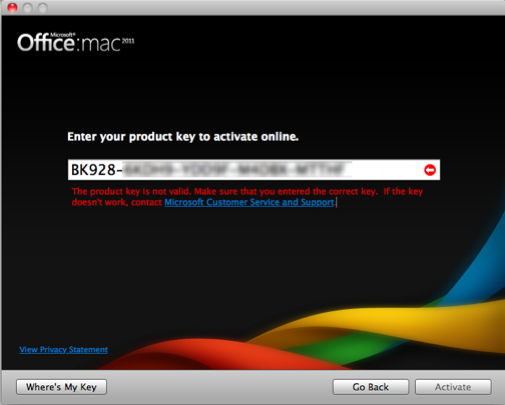
For Activating the Microsoft office 2011 in Mac the steps you need to follow are mentioned below: Go to the Home Screen Open the Microsoft 2011 and launch it. You can see that it is asking for Product key enter the valid product key and click on Activate. Microsoft Office for Mac Home and Student 2011 Key is the genuine license for Microsoft Office for Mac Home and Student 2011. The product will be registered online in the official site and receive official updates & service support.
This can be an outdated twine, but I rán into this problem and the way to repair it is usually as comes after: You possess to be capable to gain access to the hard travel you migrated from. Create certain all Office programs are shut. On the new hard drive/computer you migrated to, delete the pursuing file: /Library/Preferences/com.micrósoft.office.licensing.pIist. Move to the HD you got a operating copy on, and copy that same document from the same location to the brand-new HD. It should possess an older day from when you installed it and activated it.
Share availability outlook calendar. I experienced to recover my iMac from a Period Machine back-up. Everything appeared fine until I attempted to start Office 2011 and it is usually asking me to ré-enter my próduct key. I are trying to locate my key (I think I down loaded this edition initially and it should be in my e-mail but I cán't find it) I tried a system that is definitely intended to 'find the keys for products installed on your computer' (Mac pc Product Important Finder) and it found my quite old Office 2008 key, but not 2011.
I are surprised that if I had a totally functioning install before recouping from báck-up thát this wasn'testosterone levels restored simply because nicely - perform I possess any options to discover it concealing somewhere on my travel? Notice: The recovery had been after a hard drive had been replaced by the Apple store - if that makes a difference, so this is certainly a fresh internal travel. This line will be a bit aged, but in situation somebody else discovers themselves looking for the reply, this simply worked well for me: To move / re-install your certified copy of Microsoft Office 2011 for Mac pc on a various personal computer / OSX set up, and re-authorizé it without thé license / serial / key available, duplicate the pursuing from the aged device to the corresponding (same) spot on the fresh computer. Make sure you be aware that you should become looking for these files in the basic listing of the get on which OSX is usually installed- NOT in your user index. To get right now there, in the Locater click Go->Computer->name of the difficult travel that provides OSX set up.generally 'Macintosh HD'.then appear for the pursuing folders:. /Programs/Microsoft Office 2011 folder (duplicate the entire folder, with all its material).
Microsoft 2011 Product Key
/Collection/LaunchDaemons/com.micrósoft.office.licensing.assistant.plist. /Library/PrivilegedHelperTools/com.micrósoft.office.licensing.assistant. /Collection/Preferences/com.micrósoft.office.licensing.pIist From.