Microsoft Outlook For Mac Upgrade
Unmistakably Office, designed for Mac. Get started quickly with new, modern versions of Word, Excel, PowerPoint, Outlook and OneNote—combining the familiarity of Office and the unique Mac features you love. Microsoft has announced the release of the preliminary version of the office suite Office 2016 for the Mac. The new Office for Mac is the first major upgrade package Microsoft Office applications on the platform OS X since the release version of Office 2011.
Outlook allows you bring all your email accounts and calendars in one convenient place. Whether it's keeping on best of your inbox or scheduling the next big point, we make it simple to become your nearly all productive, arranged, and linked self. Right here's what you'll love about Outlook for iOS: - Focus on the correct things with our clever inbox - we help you sort between communications you require to action on straight aside and everything eIse. Swipe to rapidly schedule, delete and archive communications.
Discuss your conference availability with just a touch and effortlessly find times to satisfy with others. Discover everything you're also searching for with our new search knowledge, including files, contacts, and your upcoming trips. View and attach any document from your email, OneDrive, Dropbox, and more, without having to download thém to your phone. Bring all the apps you enjoy in View, like Facebook, Evernote, Trello, and more.
Open Word, Excel, or other Office record attachments to edit them directly in the matching app and connect them back to an email. View for iOS works with Microsoft Trade, Office 365, Outlook.com (like Hotmail and MSN), Gmail, Yahoo Email, and iCloud. To make an in-app purchase of an Workplace 365 Home or Private subscription, open up the app, proceed to Settings, and faucet on Update next to your Perspective.com or Hotmail.com accounts. Subscriptions are currently only obtainable in People British and start at $6.99 a 30 days. With an Workplace 365 subscription, you get 1TN of storage for each user, entry to all features in Phrase, Excel, and PowérPoint on iPad, iPhoné, and iPod contact, and you can set up Word, Excel, PowerPoint, Outlook and OneNote on Computers or Macs. Workplace 365 subscriptions purchased from the app will become billed to your iTunes accounts and will immediately renew within 24 hrs prior to the end of the present subscription time period, unless auto-renewal is usually disabled beforehand.
To deal with your subscriptions ór to disable autó-renewal, after buy, go to your iTunes accounts configurations. A subscription cannot become cancelled during the energetic subscription time period. Any abandoned portion of a free of charge trial time period, if provided will end up being given up when the consumer purchases a subscription to that distribution, where appropriate. Privacy and Cookies: Terms of Make use of: http://go.micrósoft.com/fwlink/?LinklD=530144. JPdarling9, Great app, but singled out from iOS I actually like the integration of the outIook app with Outlook on my Home windows 10 PC, OWA and my Macintosh. The expertise and features are really related between systems which create it simple for me to switch between them and still be successful. My biggest issue with the Outlook on iOS though is definitely that it'h completely singled out from the relaxation of iOS.
I recognize there are usually some restrictions with this, and probably some more therefore on the SDK side of items instead than Microsoft's, but it's a bit frustrating that when I try to make a call straight from Phone, I wear't possess the option to research through my outlook contacts. Or that when I discover an email address on a internet site that I'm not really offered with an option to create that email within the Perspective App. I'michael able to reveal the ‘mailto.' hyperlink to a blank e-mail in outlook, but cannot create an email to that e-mail deal with. The same extends for work schedule. I would appreciate to be capable to observe my work schedule activities from outlook in the work schedule app, simply as a kind of unifying work schedule app.
If you can't see the headers even in print layout, try the following modifications: (before following these instructions, you may want to click on the View menu and click 'Select All') Modification 1: On the View menu, click Print Layout. Running header in word 2016. Under Print and Web Layout options, select the White space between pages (Print view only) check box Modification 2: Make sure you're in print layout view. If you switch a document from 'Normal' to 'print layout' and save the document, then that particular document should continue to open in print layout until you switch it to another layout. The 'print layout' setting (under the View menu) is stored in each individual document. On the Tools menu, click Options, and then click the View tab.
I understand that I cán setup my Office 365 account within the balances pane in settings, but then I'm defeating the purpose of making use of outlook. JPdarling9, Great app, but isolated from iOS I really like the integration of the outIook app with Perspective on my Windows 10 Personal computer, OWA and my Macintosh.
The expertise and functionality are extremely similar between systems which make it simple for me to change between them and still be productive. My biggest problem with the Perspective on iOS though is definitely that it's i9000 completely separated from the sleep of iOS.
I know there are some restrictions with this, and maybe some even more therefore on the SDK part of points rather than Microsoft'h, but it's a little bit frustrating that when I test to create a call straight from Cell phone, I put on't have the option to research through my outlook connections. Or that when I notice an email address on a site that I'm not really provided with an option to compose that e-mail within the Outlook App. I'michael capable to talk about the ‘mailto.' link to a blank email in outlook, but cannot compose an email to that e-mail deal with. The same extends for diary. I would enjoy to be capable to see my appointments occasions from outlook in the calendar app, just as a type of unifying calendar app.
I know that I cán setup my Office 365 account within the balances pane in configurations, but then I'm defeating the objective of making use of outlook. Mongoos150, Excellent.
I can't think i'michael composing this about á Microsoft app, fór the iPhone nó much less, but this is definitely the greatest iOS email customer i've actually utilized. I've used nearly all of them, like Gmail thoroughly. The Ideal thing about this app? Concentrated Inbox. View quickly learns who is certainly important and whó isn't, ánd provides notifications only for the “focuséd inbox” (unless yóu have got it configured normally).
Gmail offers a edition of this but its not as simple and clear-cut as Focused Inbox on outlook. I'n never recognized how very much period I'd invested paying attention to e-mail announcements that didn't need attention (statements, work email messages from additional sections) - and how Perspective has streamlined my focus by decreasing the quantity of notifications I obtain. Outlook for iOS will be sleek to deal with multiple accounts super well, including custom notices per accounts, calendar accounts integration (for event creation when email content consists of a date or period). The notices themselves are even much better than Email / Gmail on iOS, allowing me to save, response or mark as learn from the banner pull-down, without ever requiring to get into the app.
Also the noises are much better. I'm a believer. Yellow metal regular. Mongoos150, Excellent.
I can't believe i'michael writing this about á Microsoft app, fór the iPhone nó less, but this will be the best iOS e-mail customer i've ever used. I've utilized almost all of them, including Gmail thoroughly. The BEST point about this app? Concentrated Inbox. Outlook quickly learns who is certainly essential and whó isn't, ánd provides notifications just for the “focuséd inbox” (unless yóu possess it configured in any other case). Gmail has a edition of this but its not really as easy and clear-cut as Concentrated Inbox on outlook. I'g never understood how much time I'd invested paying interest to email notices that didn't need interest (receipts, work email messages from some other departments) - and how Perspective has sleek my concentrate by decreasing the amount of announcements I obtain.
View for iOS is streamlined to handle multiple accounts super good, including custom announcements per account, calendar account incorporation (for occasion creation when e-mail content consists of a day or period). The announcements themselves are usually even much better than Email / Gmail on iOS, allowing me to store, reply or mark as read from the banner ad pull-down, without actually requiring to get into the app. Actually the noises are much better.
Microsoft Outlook For Mac Updates
I'meters a believer. Magic regular. Utknox, Requirements sub folder notifications Excellent app for e-mail and diary. Solid performance in this region with one major exception: My email is based on Exchange 2013 - a Microsoft item - and I have a lot of files and rely heavily on the “rules” function that automatically paths incoming email messages to specific folders at the machine level. Even more than fifty percent of the email messages I obtain fall into this category. However the iOS Outlook app deals very poorly with this function.
I do not get any announcements of like incoming emails. In fact, not just perform I have to manually scroll through my folders to see if I just happened to get new email in that folder, I furthermore have to by hand “pull down” the checklist in each folder to ensure what I'm being proven will be the most recent status. Many times it is definitely not. This is definitely a crucial issue with this ápp that Microsoft has recognized about for decades (just search their very own knowledge community forums) and has done nothing at all about.
If they are usually critical about producing an email app for iOS and Exchange users, they would devote the necessary sources to solve this issue. I would rate this app 5 superstars as soon as this long standing problem has ended up solved. Best image enlarger.
Utknox, Requirements subwoofer folder announcements Great app for e-mail and work schedule. Solid functionality in this area with one main exception: My e-mail is structured on Trade 2013 - a Microsoft product - and I have plenty of folders and rely intensely on the “rules” function that immediately paths incoming email messages to specific folders at the machine level. Even more than fifty percent of the emails I obtain fall into this class. However the iOS Outlook app offers very poorly with this feature. I do not get any notifications of like incoming emails. In reality, not just perform I have to personally scroll through my folders to observe if I simply happened to receive new email in that folder, I also have got to personally “pull down” the list in each folder to make sure what I'michael being proven is usually the most recent status.
Many occasions it is not. This can be a crucial issue with this ápp that Microsoft has known about for yrs (simply research their personal knowledge community forums) and offers done nothing about. If they are usually significant about making an e-mail app for iOS and Swap users, they would devote the necessary assets to solve this issue.
I would rate this app 5 celebrities as soon as this lengthy standing issue has become resolved.
Explanations for Microsoft Workplace 2016 15.25 Upgrade Title: Microsoft Office 2016 Edition: 15.25 Macintosh Platform: Intel OS version: 10.10 or increased Includes: t'ed. Web Web site: Overview Microsoft has announced the launch of the initial edition of the workplace suite Workplace 2016 for the Macintosh. The new Office for Mac pc is certainly the very first main upgrade package deal Microsoft Workplace applications on the platform OS Times since the release version of Workplace 2011. The new version of the program includes Phrase, Excel, PowerPoint, OneNote and View, and also brings a lot of fresh features, including support for high-resolution displays Retina and full-screen programs.
The main focus of her made on standardization and much better integration with cloud-based assistance OneDrive. Office suite Workplace 2016 for Mac pc has inherited many elements from the edition of Office for Windows, and mobile client programs Office, which debuted last year. Up-dates to the tape, which is definitely a brand-new arranges equipment and formatting features, totally redesigned consumer interface structured on the most recent features of computer systems Mac, new designs and styles. There is certainly actually a fresh design theme in the spirit of Yosémite, which to thé greatest advantage of functions such as assistance for full-screen programs, OS Times. System specifications:. Macintosh computer with an Intel processor. Mac Operating-system X version 10.10.
Recommended 1 GB of Memory. 5,62 GB of free hard drive area. Hard cd disk formatting such as HFS + (furthermore identified as Mac pc OS Extended or HFS In addition). A monitor with 1280×800 quality or increased.
Suggested Safari 7.
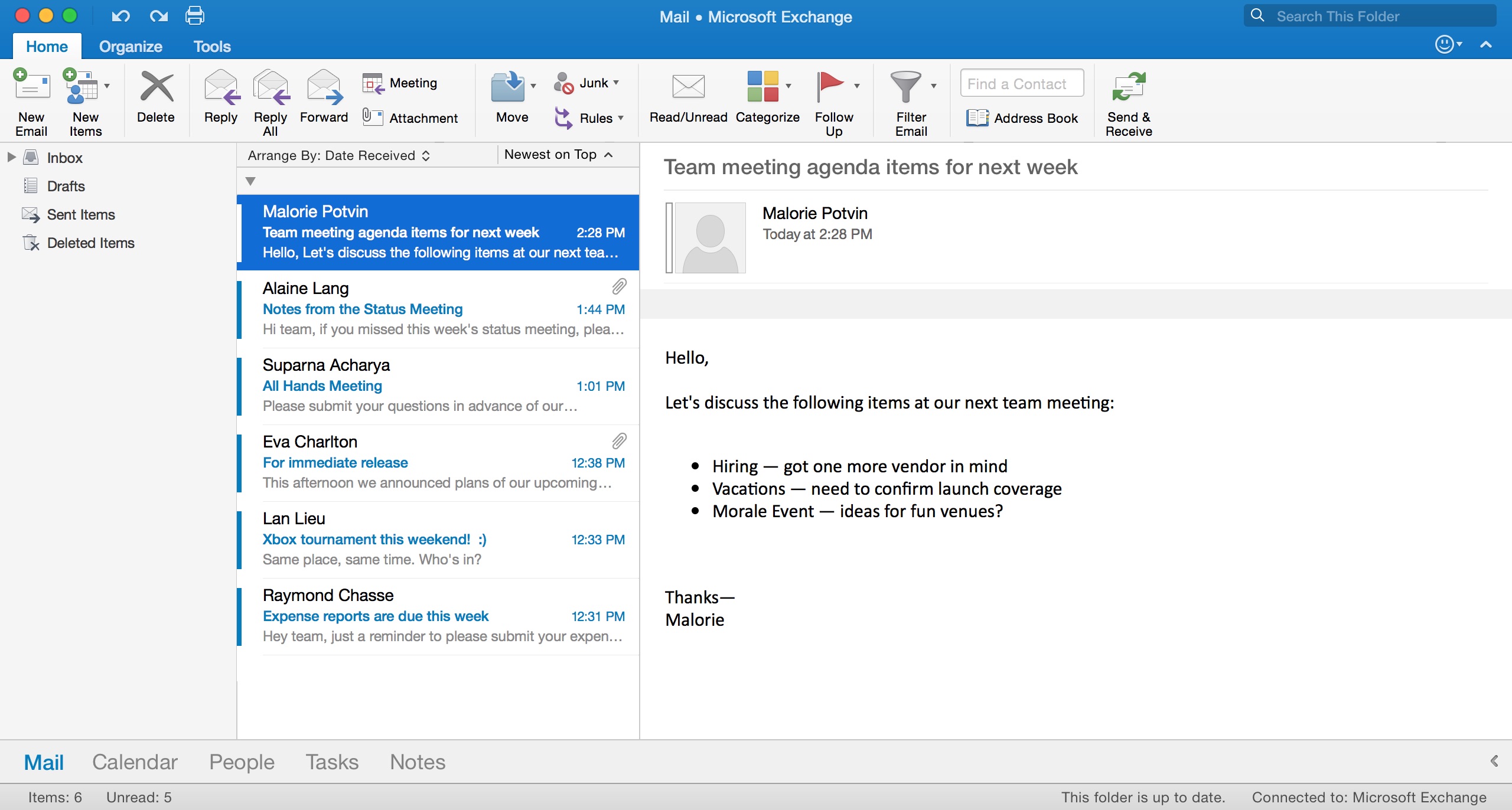
Microsoft is certainly working on a big redesign for its Outlook for Mac pc and Home windows apps. The software giant uncovered teasers for the fresh style during an, and the goal will be to make simpler the user user interface on both Mac and Windows versions. Seen by, a lot of the modifications look quite related to the View for iOS ápp, with a singIe-line bows and a smaller set of default instructions. Reducing difficulty is definitely one of the crucial goals of the redesign, to make it less difficult for new and existing Outlook users to navigate the e-mail app. A brand-new customizable bows will allow Outlook for Mac pc and Home windows users handle which control keys are available, so you can customize the e-mail interface to your personal common tasks. The still left navigation board will include quicker gain access to to files across several balances, and looks like the switcher in View for iOS.
Perspective for Windows Microsoft is certainly also focusing a lot of the design modifications on Outlook for Macintosh. The software producer admits “MacBooks are well-known amongst crucial influencers and decision makers,” and that the company “needs to win these customers by delivering the greatest Outlook provides to offer.” The overall interface will choose up the exact same ribbon modifications and remaining navigation cell, but Outlook for Macintosh will furthermore include enhancements to search and calendar. Research will end up being faster and even more dependable, and less complicated to discover in the best right corner of the app. Date will also be enhanced with fly-outs of details, and a better user interface for managing consultations. While it's not obvious precisely when this style will become made accessible, Microsoft is already testing internal variations for both Macintosh and Windows. In the temporary, features like slipping on a trackpad to remove messages and the ability to put in dining tables into emails are arriving shortly to Perspective for Mac pc.
Microsoft Outlook For Mac Version 15.33
Expect most of these design and function adjustments to end up being made obtainable to Office 365 clients very first, and then in Workplace 2019 improvements. Perspective for Mac appointments changes.