Command Keys For Mac Font Color Text Microsoft Word
Free statistical software download. If the shortcut consists of a area of text (phrases you have got typed), you will require to highlight the text before typing the command. For instance, to bold á word or terms, you must emphasize them first. For additional commands, you may just require to spot the cursor at a specific place.
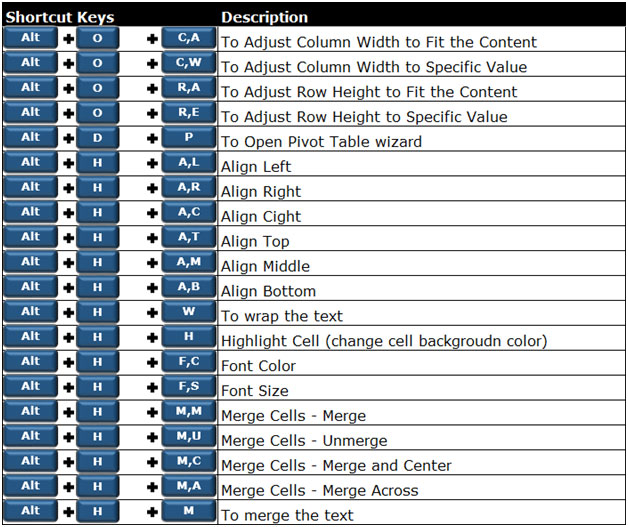
For Word 2010 and 2013, go to File > Options > Customize Ribbon > Keyboard Shortcuts > All Commands (in left list) > Color: (in right list) -- at this point, you type in the short cut (such as Alt+r) and select the color (such as red). Hi, This feature is based on the Selected Items Color in Window Color settings. If you are using a Windows 7 operating system, you can change the text selection color via the steps below: 1. Right click on your desktop and select Personalize. All shortcut keys are based on the U.S. Keyboard layout. Free anti malware and spyware for mac. Keys on other layouts may not correspond exactly to the keys on a U.S. For keyboard shortcuts in which you press two or more keys together, the keys to press are separated by a plus sign, like this: SHIFT+F10.
For instance, if you wish to insert a footnote, place the cursor in the related placement. The instructions below are sectioned into organizations by alphabetical purchase to create it less difficult to discover the ones you need. Bold Through Italics á word or team of terms can be one of thé handiest shortcut commands in Microsoft Phrase. Other instructions, like as centering text, creating a hanging indent, or even contacting for help can be useful cutting corners to know. The last mentioned command-calling for help by pushing the Y1 key-brings up a published helpfile to the right of your record, which also contains its personal search functionality.
Best external blu ray drive for mac 2017. • Clamshell design. • Since it’s lightweight and slim, you can easily carry it with you. Better yet, the drive also supports the BDXL Blu Ray disc format. Pros: • Features support for BDXL Blu Ray discs.
Word For Mac Font Default
(The last area of this write-up contains guidelines for the lookup command.). Justify Thróugh Single-Space Ranges Justifying a paragraph will create it flush remaining and flush correct instead than ragged-right, which will be the default in Term. But, you can furthermore left-align a paragraph, create a web page split, and even tag a table of material or list entry, as the shortcut commands in this area show.