Adobe Reader For Window ,mac,linux
Key Features Adobe Viewer Mac works the exact same functionality as Windows version. Hence, it provides you the ability to open up PDF data files directly on the user interface. It will be simple to use and all you have to perform is usually to transfer the document into the interface and it will the sleep. This system can go through files and at the exact same time enables you to annotate each file in a easy method. And to top it all, Adobe Audience Mac consists of a feature that allows you to print the record in query straight on the interface. With Adobe Readers Macintosh, you can sign a PDF record that is usually not guarded.
Another advantage of using these apps is most of these app various formats to archive and unarchive files. These apps support 256 bit AES zip encryption for your password zip files. Related: There are dedicated Mac apps to archive unarchive files with more features. Even if the Mac has a built-in option to an archive file. The unarchiver apps for Mac are available both for free and paid with additional features. These Mac archiver apps are offering premium features such as password protection, drag and drop archive, etc. 
The eTranscript must be opened with Adobe Reader (v 8.0 or greater) or Adobe Acrobat. • See the Install Adobe Reader for free section below if you don’t have Adobe Reader or Adobe Acrobat. • All MACs have a built-in PDF viewer application called Preview. Installing Adobe Acrobat Reader DC is a two-step process. How to download lockdown browser on macbook air. First you download the installation package, and then you install Acrobat Reader DC from that package file.
Adobe Reader For Window Mac Linux Free
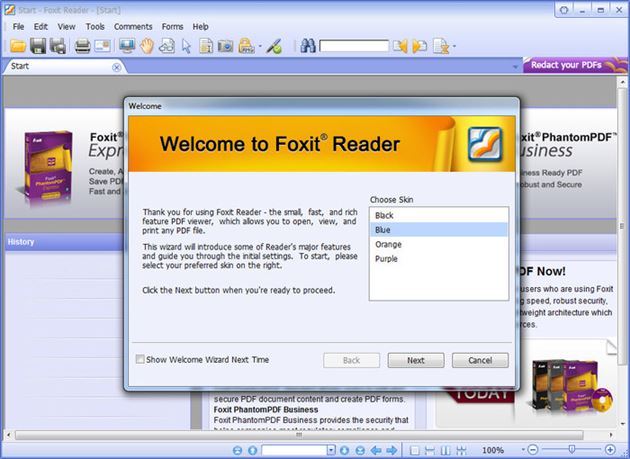
It is definitely well worth to take note that this program comes with an simple to make use of interface producing it simple to manage. Benefits It can end up being downloaded free of charge of cost. It is certainly convenient and light-weight. Cons This tool cannot generate PDF files.
Compiling dragonegg in per the readme ( GCC=/usr/local/bin/gcc-4.8 LLVM_CONFIG=/usr/local/bin/llvm-config-3.5 make) ends with this error: Compiling Cache.cpp /Users/aelberg/Development/dragonegg-3.5.0.src/src/Cache.cpp:243:15: error: no matching function for call to 'operator new' WeakVH *W = new (&(*slot)->V) WeakVH(V); ^ ~~~~~~~~~~~~~ note: candidate function not viable: requires 1 argument, but 2 were provided 1 error generated. Make: *** [Cache.o] Error 1 This seems to relate to the libc++ vs. Dragon question 11. I'm trying to get dragonegg built and running on my mac. Using LLVM 3.5 and gcc 4.8, from the homebrew package manager.
Pdf Download Adobe Reader For Windows 10
Some other SystemsAdobe Audience Mac will be obtainable on.